
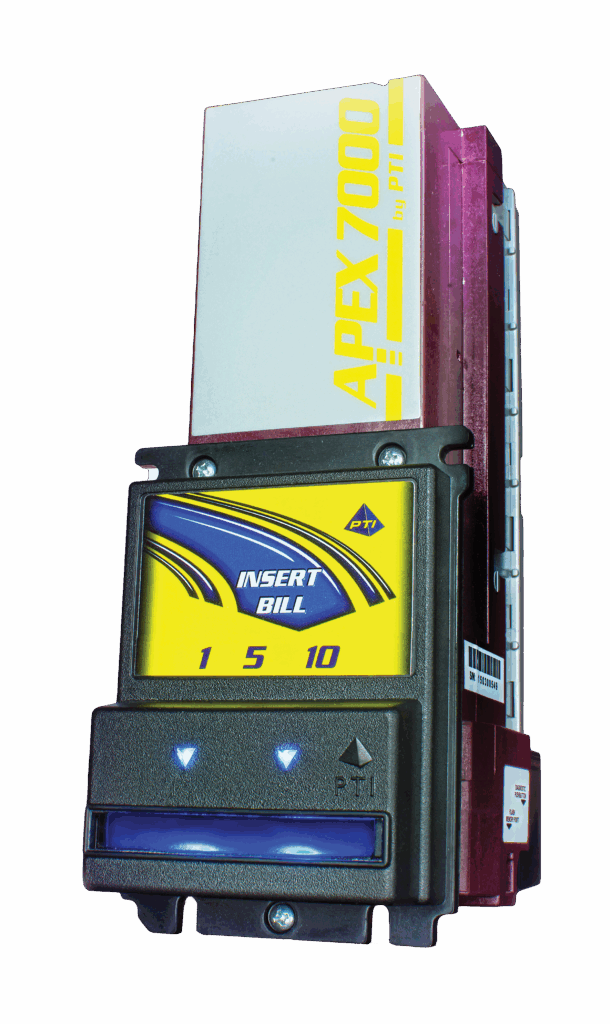
When setting up a bill acceptor for a skill machine, vending system, or gaming cabinet, one of the most important decisions is how the validator communicates with your machine. The two most common communication methods are RS-232 and pulse.
Understanding the difference between these two options can help you avoid compatibility issues, reduce downtime, and ensure your system operates reliably.
What Is a Pulse Bill Acceptor?
A pulse bill acceptor sends simple electrical signals (pulses) to your machine. Each pulse represents a value — for example, a $1 bill may send one pulse, while a $5 bill sends five pulses.
Advantages of Pulse:
- Simple and easy to install
- Compatible with most skill machines
- No complex configuration required
Disadvantages:
- Limited data communication
- Less flexibility for advanced setups
Pulse systems are commonly used in traditional gaming setups like Cherry Master and Pot O Gold machines.
—What Is an RS-232 Bill Acceptor?
RS-232 is a serial communication protocol that allows for more advanced data exchange between the bill acceptor and the machine.
Instead of sending simple pulses, RS-232 transmits detailed data about each transaction.
Advantages of RS-232:
- More accurate and reliable communication
- Supports advanced features and configuration
- Better for modern systems and diagnostics
Disadvantages:
- Requires compatible hardware
- More complex setup
To use RS-232 communication, you’ll typically need a compatible cable such as this RS-232 cable.
—RS-232 vs Pulse: Key Differences
| Feature | Pulse | RS-232 |
|---|---|---|
| Communication Type | Simple signal pulses | Serial data transmission |
| Setup | Easy | More advanced |
| Compatibility | Most skill machines | Requires supported system |
| Features | Basic | Advanced |
Which One Should You Choose?
In most cases:
- Choose Pulse if you are running a traditional skill machine setup
- Choose RS-232 if you need advanced communication, diagnostics, or system integration
Compatible Bill Acceptors
Many modern bill acceptors support both communication types, including:
Always verify your machine’s compatibility before choosing a communication method.
—Essential Accessories
To ensure proper operation, you may also need:
—Final Thoughts
Choosing between RS-232 and pulse comes down to your machine setup and needs. Pulse is simple and widely compatible, while RS-232 offers advanced communication for more complex systems.
If you’re unsure which option is right for your setup, feel free to contact us — we’re happy to help.
Learn more about communication types here: RS-232 vs Pulse for Bill Acceptors